
Download the GCEFCU Mobile App
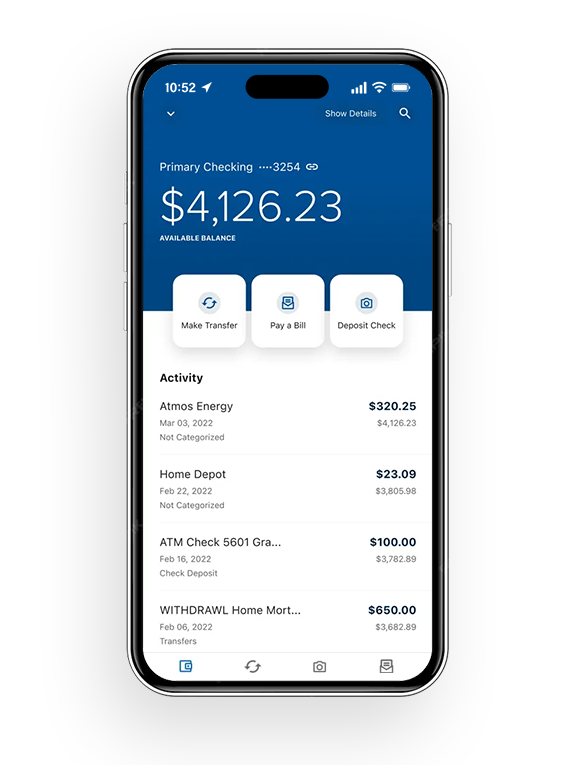
Mobile App Features
Accessing your money is quick and simple with the GCEFCU Mobile App. Check out some of our Mobile App tools below:
View your account balance without logging in
Remote Deposit: Deposit your check by taking a picture from your GCEFCU Mobile App
Zelle®: A fast, safe, and easy way to send money in minutes to friends, family, and others you trust
SavvyMoney: Monitor your credit score & report
Bill Pay: Pay bills from your GCEFCU Mobile App
Financial Wellness: Track your spending & create budgets
Digital Security
Download our FREE Mobile App from the App Store or Google Play for your mobile device. You can also text “Apple” or “Android” to (281) 843-8611 to have the download link sent straight to your phone.
Depositing & Withdrawing Funds
In PersonDepositing & Withdrawing Funds In Person
Visit a GCEFCU Location – Visit any GCEFCU branch during business hours to make a deposit or withdraw.
Surcharge Free ATMs – GCEFCU is currently partnered with 2 ATM networks – AllPoint and Co-Op. With both of these networks, you have over 80,000 fee-free ATMs across the country to use.
Shared Branching - Shared branches allow our members to conduct certain types of transactions at participating credit union locations throughout the US. With over 5,000 locations, you’re never far from your credit union accounts. There are limits to the types of transactions you can do at a shared branch, so please call ahead to confirm.
ElectronicallyDepositing & Withdrawing Funds Electronically
Electronic Transfers in Online Banking - You can transfer money to your accounts at other credit unions or banks by adding them as an external account. Simply log into online banking from your desktop computer and go to the SETTINGS section. Select the ACCOUNTS tab and click LINK AN EXTERNAL ACCOUNT. Once you have completed all of the steps, you can make transfers to and from your external account within the TRANSFERS section of online banking. If you have any questions, please feel free to call or text us at (281) 487-9333.
Wire Transfer - Wire transfers can be received same day depending on the timing. There is no fee from the credit union to receive a wire transfer.
Mobile Wallet - With your mobile wallet, you can pay for purchases online and in person, straight from your phone. First, you must add your debit or credit card to your mobile wallet app.
Remote Deposit Capture (RDC) - Deposit a check straight from your GCEFCU mobile app.
Bill Pay - Bill Pay can be found on your online banking page from your computer or our mobile app. First, you will need to set up your “payees,” or who we will be sending your payments to. From there, you can set up reminders or automatic payments for the funds to come out of whichever account you choose. It’s that easy!
Zelle - Introducing Zelle — A fast, safe and easy way to send money in minutes¹ to friends, family and others you trust, right from the Gulf Coast Educators Federal Credit Union mobile app². Zelle makes it easy to send money to, or receive money from, people you trust with a bank account in the U.S. Find Zelle in your Gulf Coast Educators Federal Credit Union app.
By MailDepositing & Withdrawing Funds By Mail
Mail your deposit to: GCEFCU, 5953 Fairmont Pkwy, Pasadena, TX 77505 (checks only, please do not mail cash).
Contact us for a pdf version of the credit union’s deposit slips.
Managing Your Mortgage
Online Banking
To access your GCEFCU home loan and make payments, please login to GCEFCU’s online banking platform by clicking the button below.
Midwest Mortgage Payment Center
To access your account with Midwest Mortgage and to make a payment please click on the button below.
TruHome Payment Center
To access your account with TruHome Mortgage and to make a payment please click on the link below or call 1 (866) 486-9174.
Other Services
Telephone Banking
Edie Audio Response System
With the Edie Audio Response System ((281) 487-4115) you can perform credit union transactions on your touch-tone telephone. All you need to begin is your member number and an access code (PIN Number).
Step by Step Instructions
Using a touch-tone phone call (281) 487-4115 or 1(800) 683-3863 option 2
Now press 1 for account access or 2 for funds verification.
Enter your member number followed by a pound sign (#).
Enter your 4-digit access code. Same as your Online Banking PIN number.
Things to Remember
EDIE Terminology
The following is some of the terminology you will hear on the EDIE system:
Member Number: This is your four to six digit GCEFCU account number. You do not need to enter the first two characters of your last name. Example: 123456
Access Code: This is your four digit EDIE PIN number. Example: 1234
Account Number: Each account has a unique numerical designation, see EDIE Tips below for more information.
Share Account: This is your savings account.
Share Draft Account: This is your checking account.
EDIE Tips
Press 9 to repeat the menu or * (star) to take you back to the previous menu.
Loans are designated by a number depending on the order in which you took the loan. For example, your first loan is designated by a 150 and your next loan is 151 and so on through 169 for all loans except Real Estate loans which are designated by 171.
For security reasons, the cross member transfer feature in EDIE has been removed. You can call the credit union and have cross member transfers set up for the eBanking system.
Accounts do not have a prefix. Your savings account is designated by a number 1, your checking is 5. Below is a list of account designations:
1 – Primary savings
2 – Additional Savings
3 – Additional Savings
4 – Additional Savings
5 – Primary checking
6 – Additional checking
7 – Advantage Checking Account
Wire Transfers
Incoming Wire Transfer Instructions
Wire Funds To Gulf Coast Educators FCU, 5953 Fairmont Pkwy, Pasadena, TX 77505 ABA # 313087286
Member Name and Account #
Wires sent from foreign countries will have to be sent via the foreign financial institution’s correspondent bank here in the US. We do not have an IBAN.
Outgoing Wire Transfer Instructions
To initiate an outgoing domestic wire transfer, you can call the credit union or come into one of our branches.
You will need the following required information*:
For domestic wire transfers:
Receiving Financial Institution’s routing (ABA) number & full name
Your account/member number and updated address
The Beneficiary’s (recipient) full name and address
For international wire transfers:
Foreign Bank’s name, address including city and country
The Foreign Bank’s SWIFT/BIC code
Your account/member number and updated address
The Beneficiary’s (recipient) full name and address including country and account number at the foreign bank
The corresponding US bank of the Beneficiary’s (recipient) foreign bank
*Additional information may be required.
Cut off times
International Wires: 11:00 AM
Domestic Wires: 3:30 PM
Wires that are not processed before the cut off times will be sent the next business day.