
Convenience In Your Pocket
Access your money anytime and anywhere with the Gulf Coast Educators FCU Mobile App.
Monitor your spending, pay bills, deposit checks, and even improve your credit score straight from your phone or mobile device.
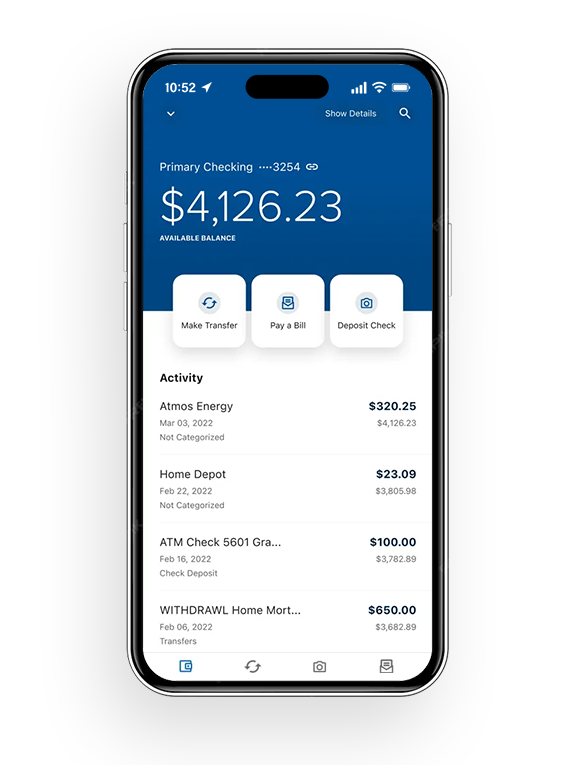
Mobile App Features
Accessing your money is quick and simple with the GCEFCU Mobile App. Check out some of our Mobile App tools below:
View your account balance without logging in
Remote Deposit: Deposit your check by taking a picture from your GCEFCU Mobile App
Zelle®: A fast, safe, and easy way to send money in minutes to friends, family, and others you trust
SavvyMoney: Monitor your credit score & report
Bill Pay: Pay bills from your GCEFCU Mobile App
Financial Wellness: Track your spending & create budgets
Digital Security
Download our FREE Mobile App from the App Store or Google Play for your mobile device. You can also text “Apple” or “Android” to (281) 843-8611 to have the download link sent straight to your phone.
Apple PayApple Pay
Visa® + Apple Pay
Pay confidently with Visa®. Now you can enjoy all the benefits of your Gulf Coast Educators FCU Visa® debit or credit card using Apple Pay.™ Set up is simple. Click the Learn More button to learn how to add your card to your iPhone,® Apple Watch,™ or iPad.®
Google PayGoogle Pay
Tap to pay with Visa via Google Pay™
Using your Gulf Coast Educators FCU Visa® debit or credit card via Google Pay is quick and easy. Just add your card to Google Pay and look for the Contactless Symbol at checkout.
Samsung WalletSamsung Wallet
Turn Your Phone Into A Wallet
Samsung Pay makes transactions easy. Simply download the app, secure it with authentication (either your fingerprint or passcode), and hover over the card reader to pay.
PayPalPayPal
Make it Visa when you pay with PayPal
Make your Gulf Coast Educators FCU Visa debit or credit card your preferred way to pay when you check out with PayPal. It’s a quick and easy way to enjoy the benefits of your card on your PayPal online purchases.